BDWINGO have provide two payment method
by using UPI/QR Code bank payment (PhonePee and Gpay) and also Cryptocurrencies payment
(USDT,TRX) and you can follow the step by step of how to make the deposit below :
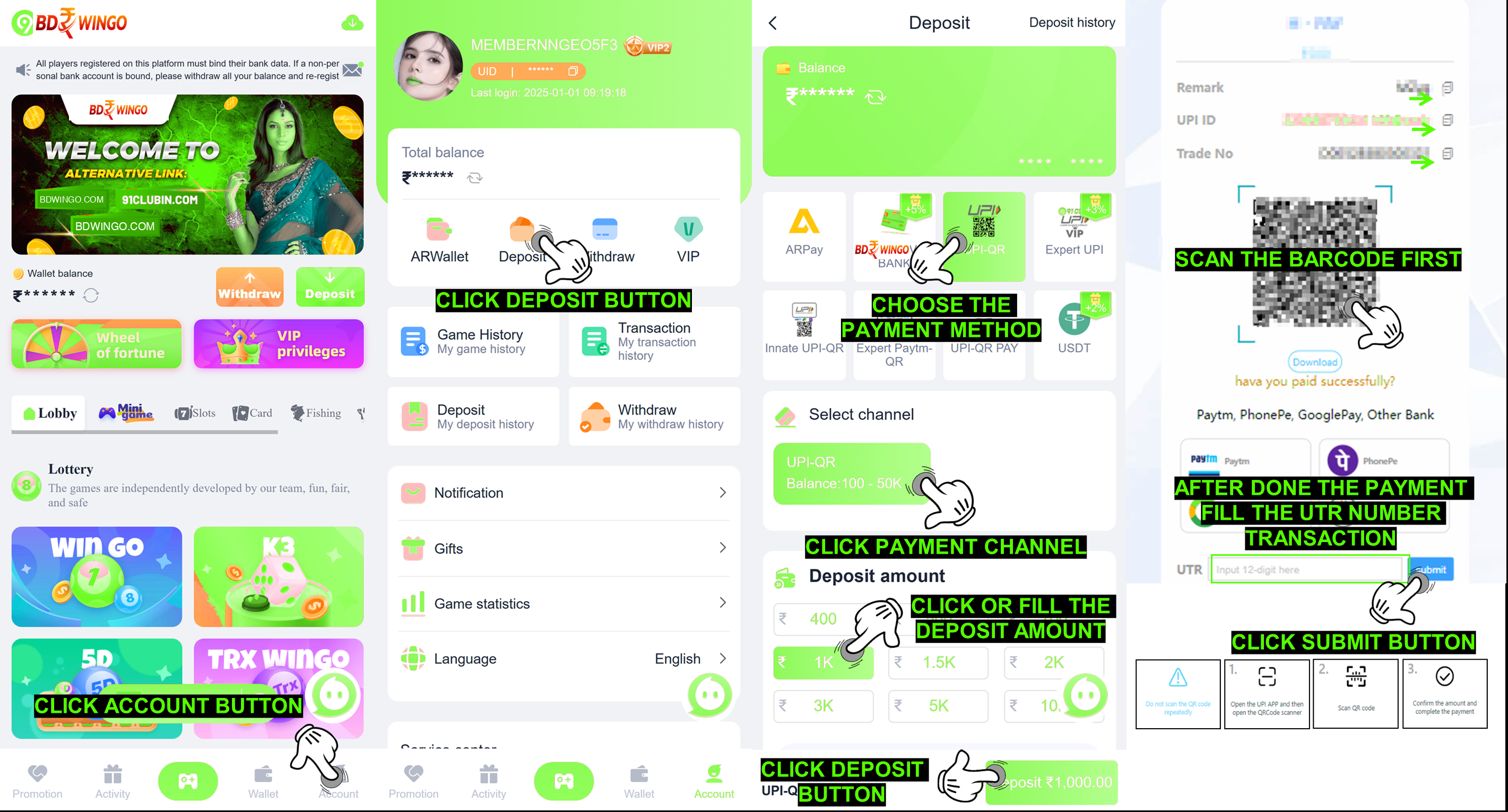
A. UPI/QR Code bank payment
(PhonPee and Gpay) recharge method :
Go to Account menu
Choose DEPOSIT button
Select UPI payment method
Choose the available payment channel
Fill the Deposit Amount as you willing to deposit
Entering the payment page
Fill in the UTR number of your completed payment
There is some important thing you should aware when you made deposit for avoiding
funds lost or deposit arrived late in your ID account :
Please Ensure to always fill the correct UTR number of your completed payment so your
deposit amount will not be delay
Due to UPI personal risk control reasons, individual payments are made Your payment will
fail through this channel. You can try another channel multiple times to pay
Our payment address will be change time to time so please ensure to never save our UPI
address for make repeated transfers without create a new deposit order (which will cause
loss of funds). You must resubmit a new deposit order and pay again according to the
process every time you recharge
Due to high demand/order sometimes your payment will be delay, we suggest member to
resubmit the order with the same payment method, payment channel, amount and fill the
correct UTR number of your previous completed payment
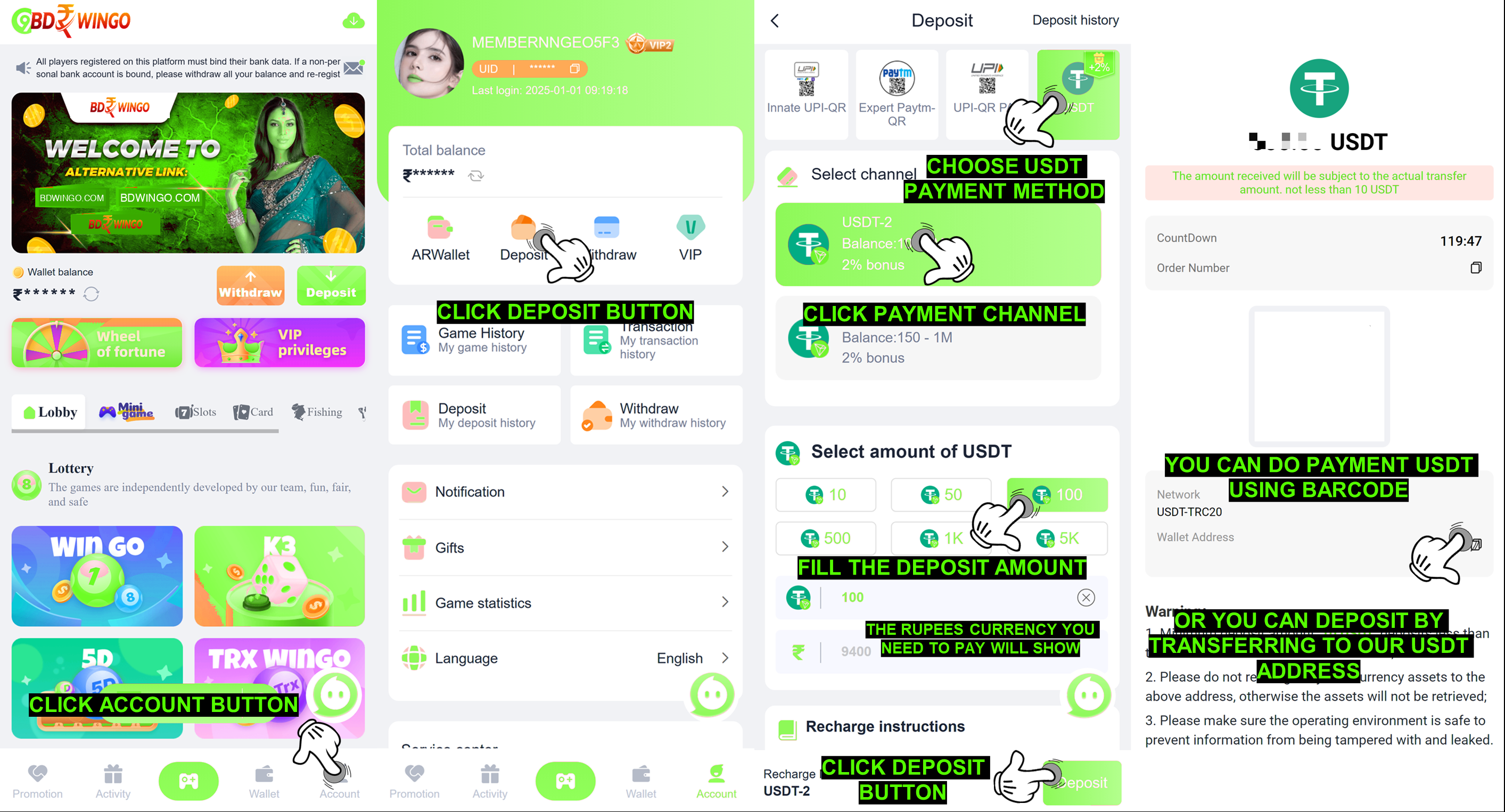
B. Cryptocurrencies payment
(USDT,TRX) recharge method :
Go to Account menu
Choose Deposit button
Choose USDT payment method
Choose the available payment channel
Fill the Deposit Amount as you willing to deposit
Entering the payment page
Complete your payment and your deposit amount will arrived into your ID account