
Delete Old USDT Address and Rebind
Q : How i can submit issue about Delete Old USDT Address and Rebind on self-service
center BDWINGO?
A :If you want to delete your USDT address information, we have two way
for modify it that we will separate as "Can Receive" and
"Cannot Receive" by the following step :
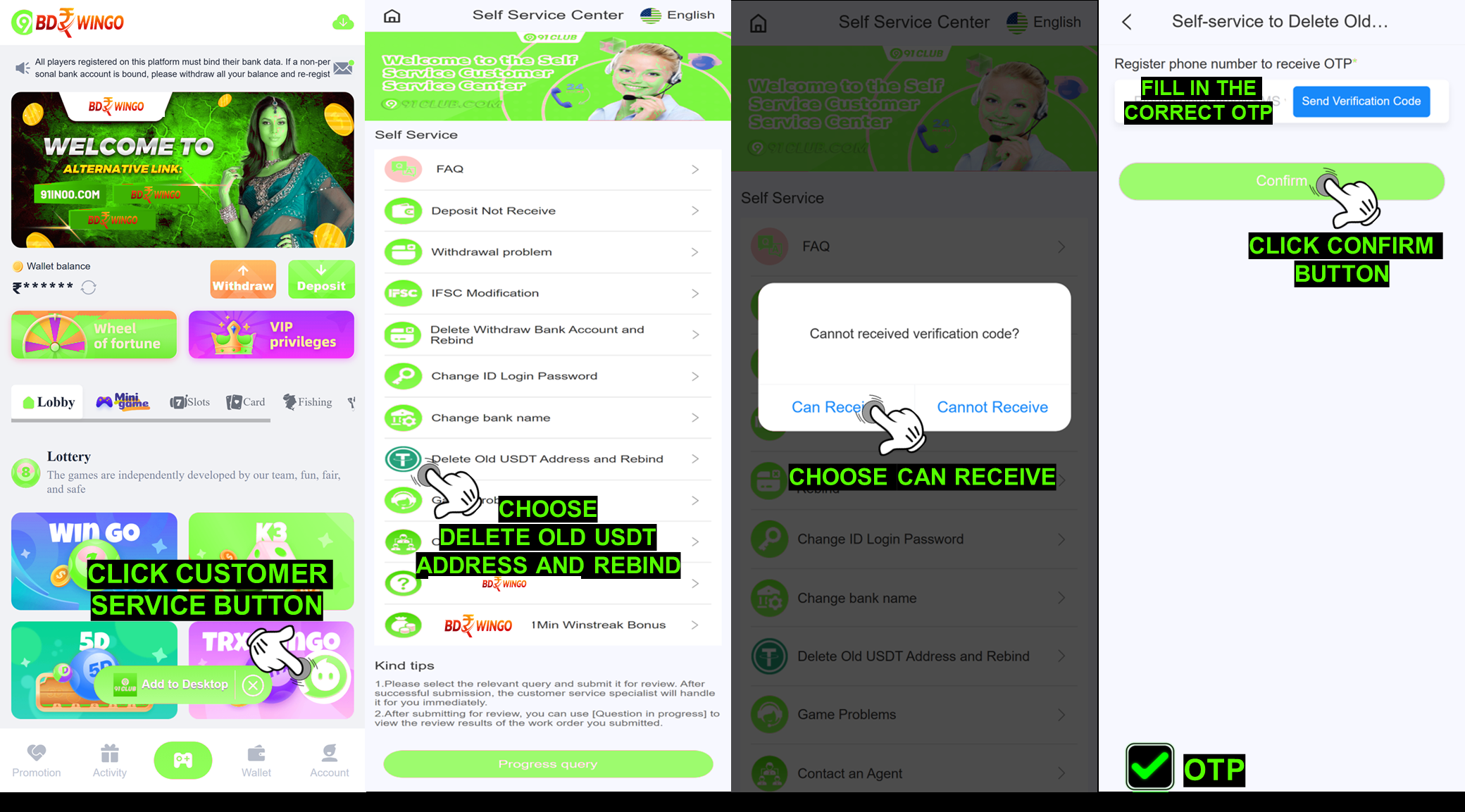
Can ReceiveLogin to your BDWINGO ID Account
Click Customer Service button
Choose Delete Old USDT and Rebind
Choose Can Receive
Click Send and a verification code will be sent to your registered
phone number
After receiving the code, fill the verification code
Click the "Confirm" button
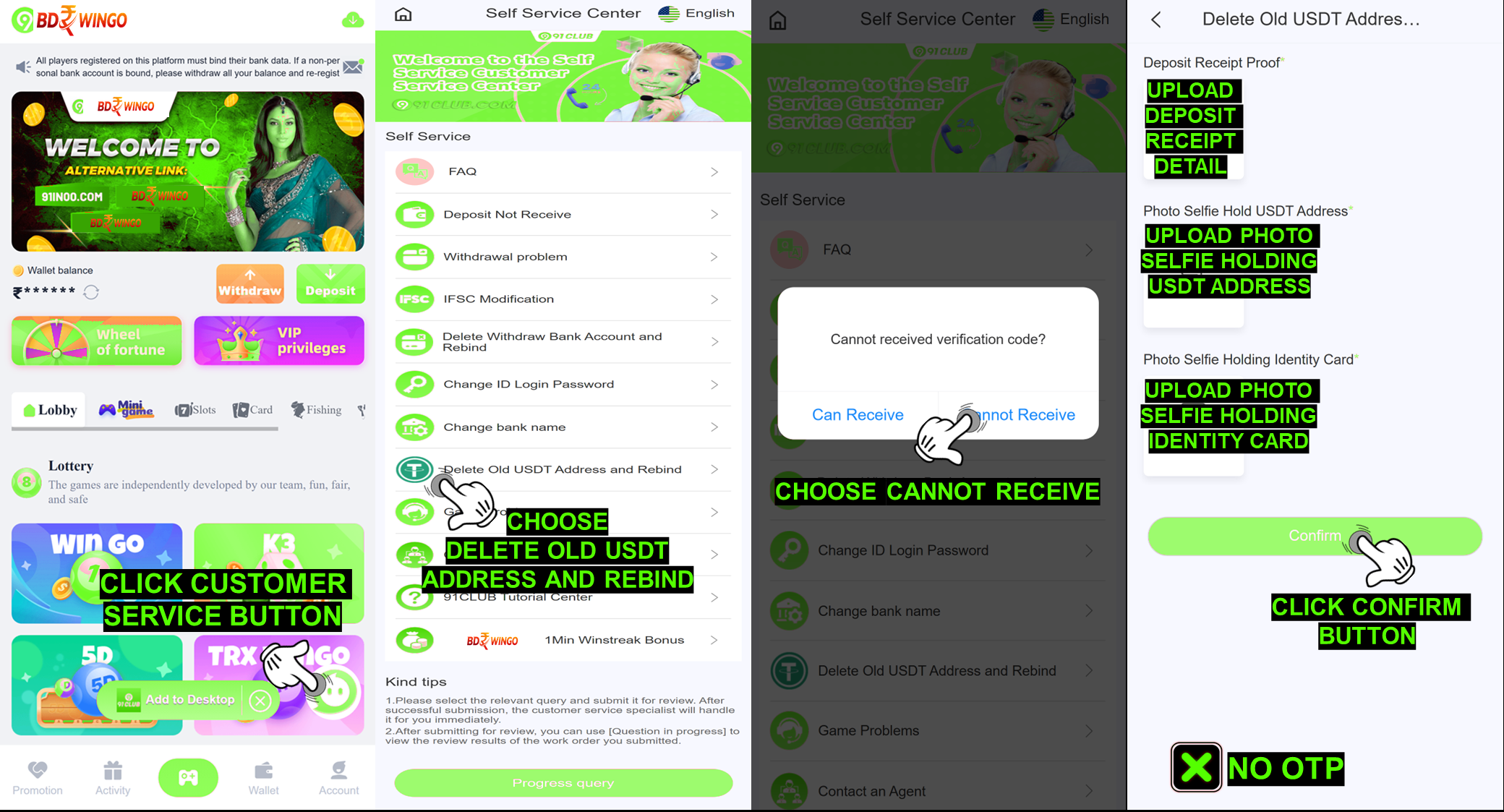
Login into your BDWINGO ID Account
Click Customer Service button
Choose Delete Old USDT Address and Rebind
Choose Cannot Receive
Attach photo selfie holding identity card clear and detail
Attach photo selfie holding USDT address clear and detail
Attach deposit receipt proof clear and detail
Click the "Confirm" button
NOTE: Make sure all the data and requirement already fill and upload, clear and detail.
Can Receive
Cannot Receive
NOTE: Make sure all the data and requirement already fill and upload, clear and detail.
Q : What i need to do after the Delete USDT Address have been
completed ?
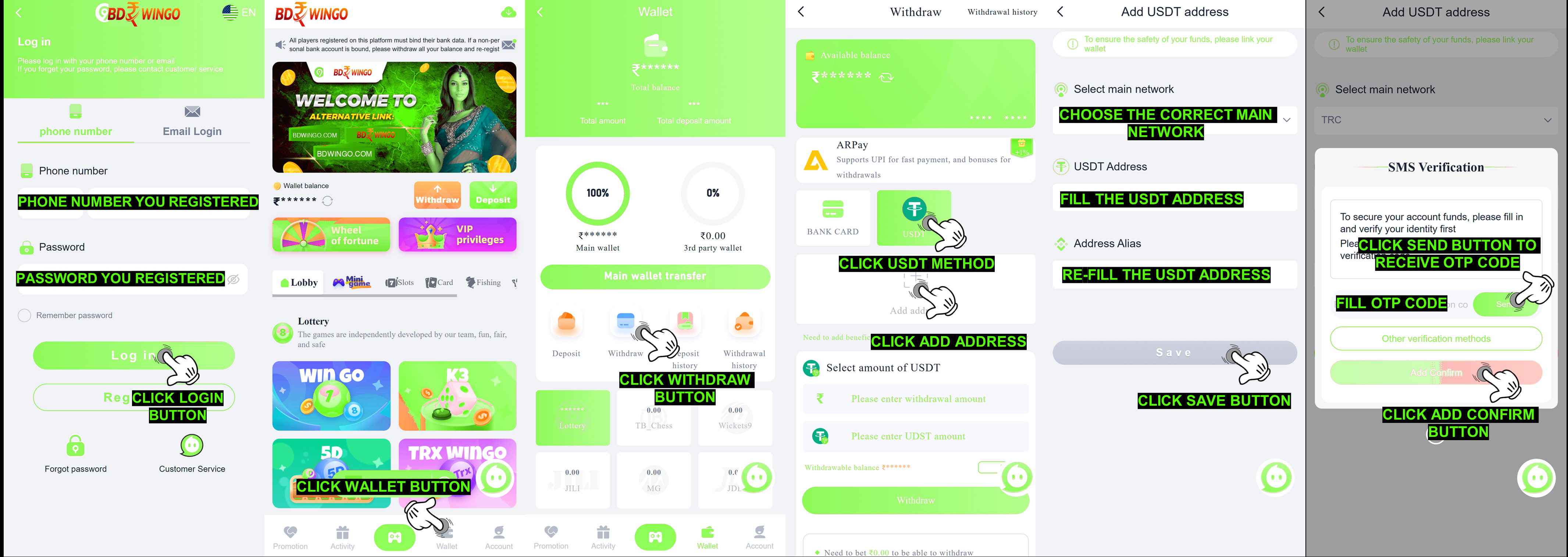
A :After the USDT Address deletion completed, member can add a new
USDT address or make a correction to the previous address information that they
bound in their ID account by go to "Withdraw" page and following
the steps below :
Click add a USDT
Choose the correct main network
Fill in the correct USDT Address and Re-Fill the
correct USDT Address in "Address Alias"
Click Save and SMS Verification menu will appear
Click the Send button
Fill the correct OTP Code
Click the "Add Confirm" button
STATUS
ISSUE
Q : How do i check my status issue Delete Old USDT Address and
Rebind on self-service center BDWINGO ?
A : You can check the status issue by pressing the
"Progress Query" for checking all the order record
status that you have been submitted to self-service center.
SUCCESS
STATUS
Q : I already checking and the status in here already success and there
is a notes Success "USDT address deleted, kindly rebind
your new USDT" what is that mean ?
A : For that mean BDWINGO team successfully help to
delete your USDT address bound on account and you just need to check on
withdrawal menu and rebind new USDT address.
REJECT
STATUS
Q : What about with status reject i need to know if my Delete
Old USDT Address issue get reject by BDWINGO data
department?
A : Okay rest assured we will help to explain to you
there is few notes rejection you need to know we will give explanation
on this below :
Reject "Requirement submitted incorrect": This mean
you need resubmit again the same issue with requirement provide all
correctly there might be some or all data provide incorrect.
Reject "Requirement provide not clear": This mean
all data requirement provide blur or cannot be see clear, please
resubmit all back with clear and detail again.
Reject "Submit complete requirements so we can check"
: This mean BDWINGO team check there is few or all
requirement provide not complete and you just need to resubmit same
issue with all provided.